
Adjusting drawer face heights
This guide shows you how to increase or decrease the size of your drawer cabinet face heights to meet your custom requirements.


Changing heights
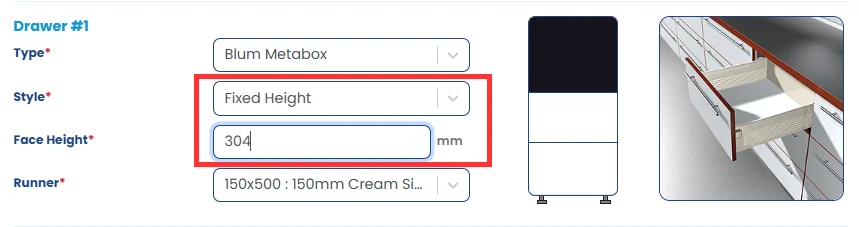
By default, the cabinet will have all drawers spaced evenly according to the total cabinet height. To change the top drawer “Drawer 1” to a smaller or larger height drawer, click in the Style section dropdown box, and adjust the selection to Fixed Height.
The Face Height field will then become active, and allow you to set the exact height you want your drawer face to be.
Realtime changes
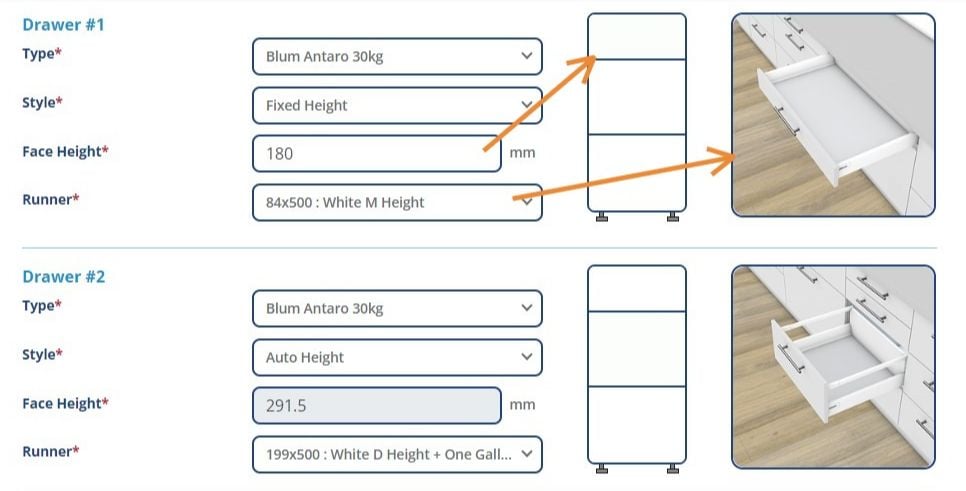
The change in face height might mean the previously selected drawer runner is no longer suitable. The system will automatically update to use the best match for your specifications.
Final adjustments
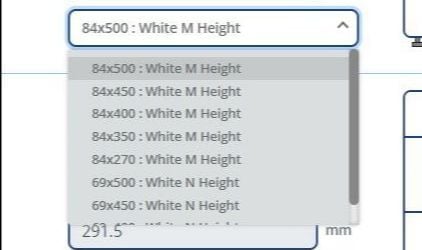
To choose a different drawer runner option, click in the dropdown box to see all permitted drawers that can fit.
Once you’re done, simply hit Save Product.
©2015 GoFlatpacks | Website by 